An open-source desktop web browser with a 3D interface. Ordinary websites float as panels in a 3D room, page
sections lift into layered depth, and fully 3D sites written in HoloML open as places
you walk through. Free, Apache 2.0, no telemetry. A developer preview: experimental, not yet for everyday
browsing.
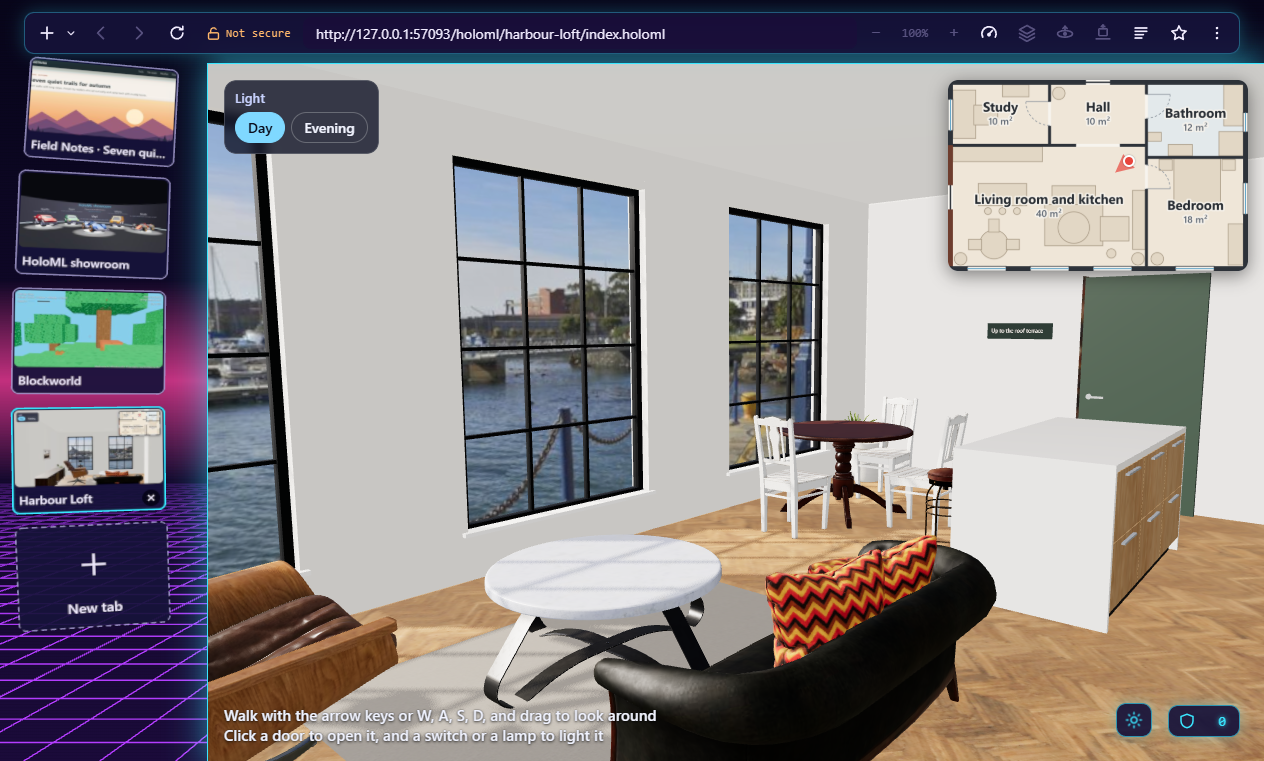
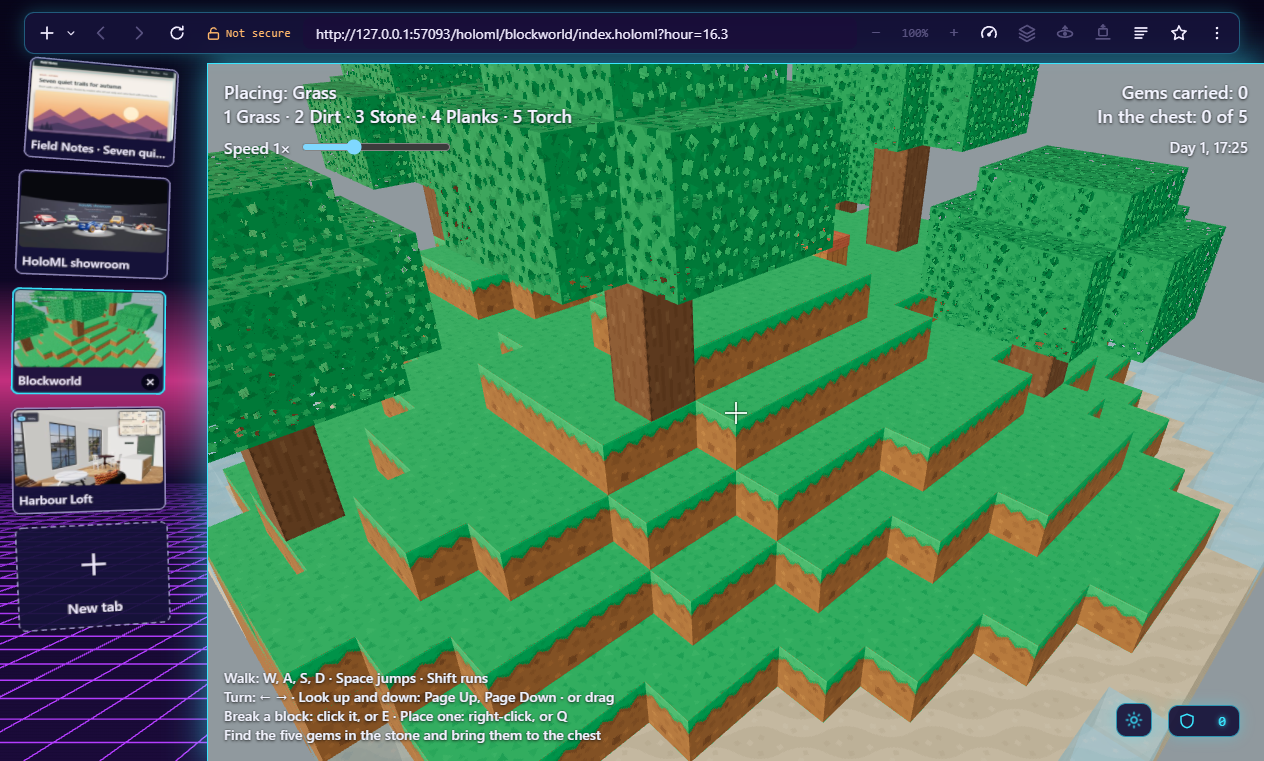
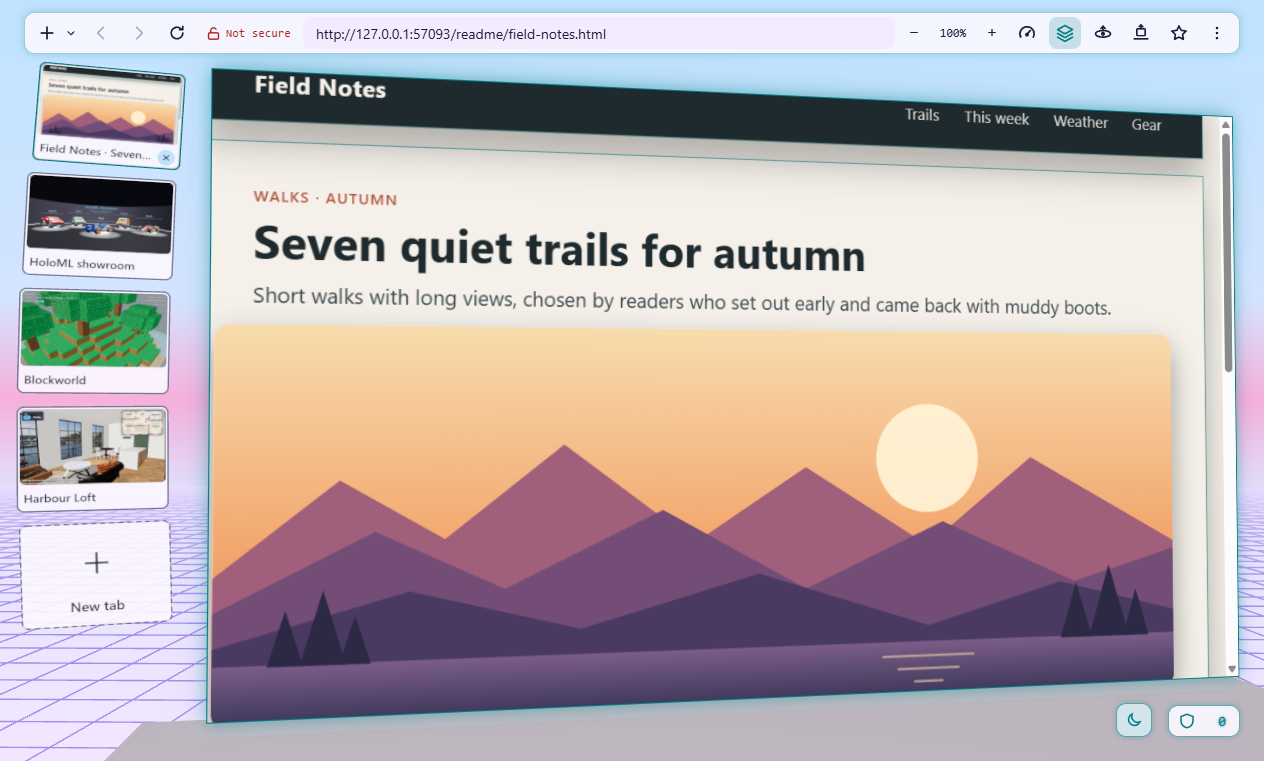
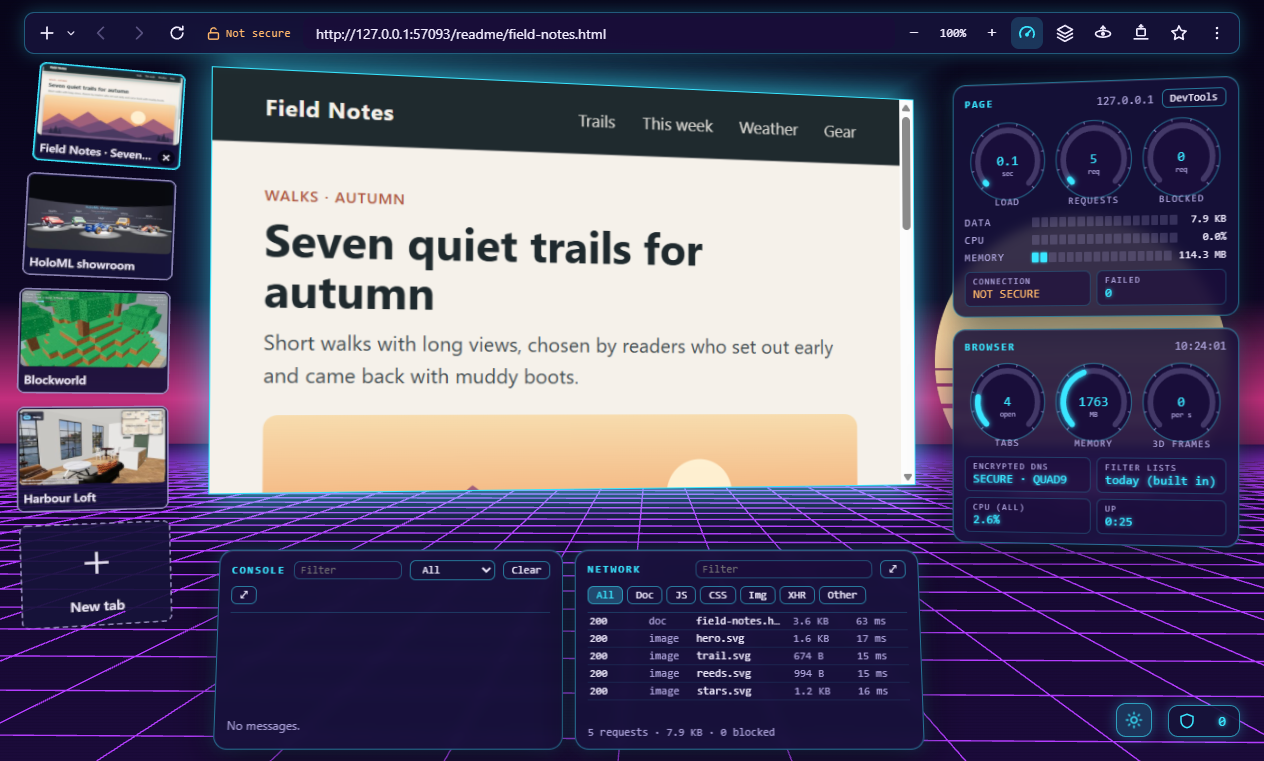
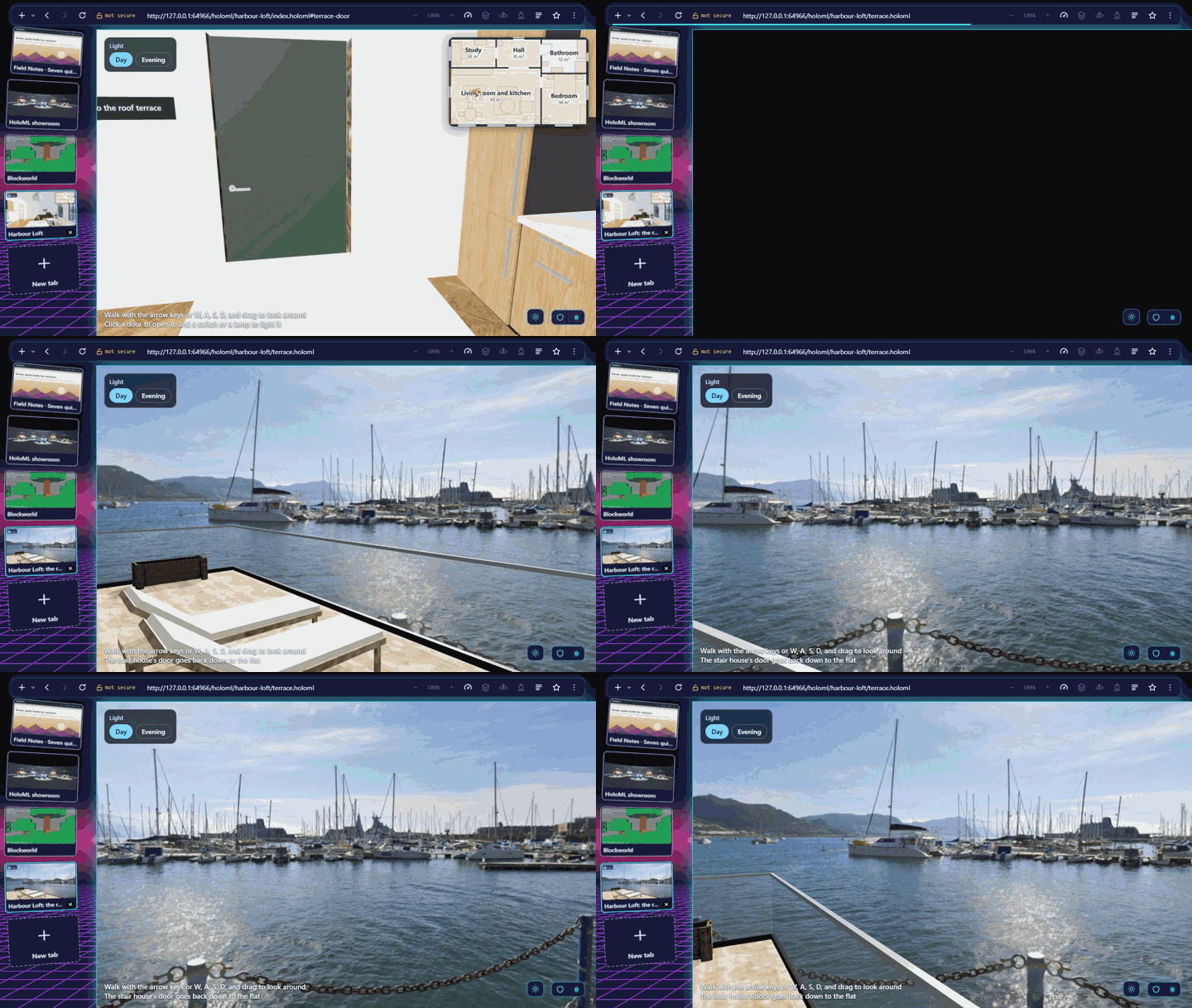
3D websites. Harbour Loft, written in HoloML: walk through a loft by the harbour, open its doors, switch its lamps on, and go up to the roof terrace.Games, too. Blockworld: walk, break and place blocks, and find five gems, with the mouse or the keyboard alone.Ordinary websites, in depth. Any page on a tilted panel, its sections and pictures lifted into layers; tabs as cards; a dark and a light theme.An instrument panel. The page's load, requests, and blocked trackers, the browser's own gauges, the console, and the network.
The pictures are of the newest version, from pages served locally: HoloML's examples (Harbour Loft's
furniture, textures, and harbour from Poly Haven, CC0; Blockworld's blocks from Kenney, CC0) and a made-up
sample page.
In motion
Harbour Loft, up to the roof terrace: nine seconds, made from the local copy with no network.
A one-minute tour (WebM, 27 MB, attached to
the 0.9.1 release) shows the room and its tabs, Harbour Loft's doors and lamps, pictures and a shoe lifted
off a page, and looking around the room. It plays in Chrome, Firefox, Edge, and Safari 14.1 and later.
The story
In early 2001 two computer engineering students who had met at Florida Atlantic University, Sunny Rajpal and
Mauricio Sadicoff, formed HyperSol, a small Florida software company with a plain mission: build
high-quality software that makes people's time on a computer more productive and more fun. Its first product
was a web browser, HyperSol WebSurfer, born when they needed features no other browser would allow, starting
with control over the pop-up windows of 2001. Version 1.0.0 shipped on March 5, 2001, free, with themes that
changed the whole browsing environment, automatic page refresh, and a full HTML editor inside the browser.
Behind the shipped features sat a bigger idea: a browser where the web itself is not flat, sites rendered in
three dimensions, a browser you look into, not at. Between 2001 and 2003 that idea became the concept for
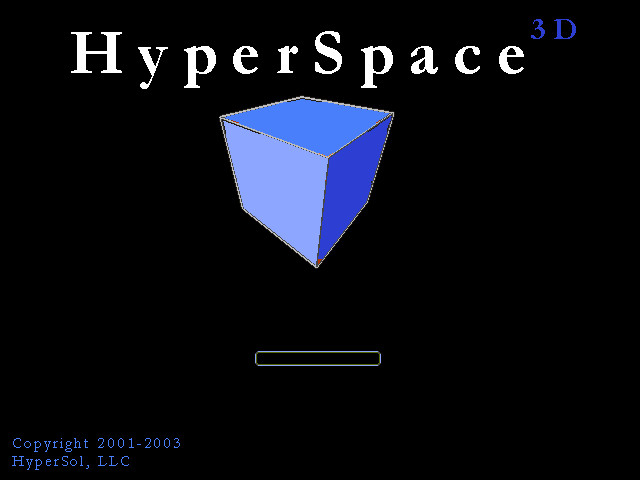
HyperSol's next step, HyperSpace 3D. An early concept screen survives, a blue cube tilted toward the viewer
over a loading bar. It stayed a concept of its time, with no claim that it shipped as a product: the hardware,
the graphics APIs, and the open web platform were not ready.
The HyperSpace 3D concept screen, 2001 to 2003, as it was.
Twenty-five years later they are. HyperSol HyperSpace 3D marks the 25th anniversary of HyperSol's formation
by finally building that idea, in the open, for everyone, built through agentic coding: AI coding agents
directed by one person who kept the scope, the decisions, the review, and the acceptance, with every prompt
published. HyperSol the company no longer exists; this is a personal project that honours it, not a
commercial product. The whole of it, from the first prompt, is in
the repository's README.
HoloML: fully 3D websites
HoloML is a markup language for 3D websites, written the way a page is and kept in
its own repository, with its specification, a parser and a
checker, and an extension for VS Code; its documentation is at
srajpal.github.io/holoml. HyperSpace 3D shows a HoloML page
across the whole window, to orbit or walk around. Seven example sites show what a page can do; each opens
here in any browser with WebGL 2, through the viewer on a plain page, or in HyperSpace 3D
from its start panel.
The showroom: five cars in a hall, each to walk around in three colours. Its site
Blockworld: a small block game; break and place blocks, and find five gems. Its site
The sofa studio: a shop page with shadows, textured fabrics, and choices that change the sofa in place. Its site
Harbour Loft: a flat by the harbour to tour, with doors, lamps, and a roof terrace. Its site
To write a page of your own, the HoloML playground
has its text beside its scene, checked as you type, starting from a first page or any of the seven.
The viewer fetches an example only when you open it, and runs a page's scripts only when the page is on
srajpal.github.io, as the examples are, so their scripts run here too; a page of another site shows here
without its scripts, and in full in HyperSpace 3D itself.
Running it
Version 0.9.2, a developer preview, as a portable zip: take the one for your computer, unzip it
anywhere, and start it. Nothing to install, nothing to sign in to, and no update check. Nothing is signed, so
each system asks once the first time: Windows SmartScreen (More info, then Run anyway), macOS Gatekeeper
(System Settings, Privacy & Security, Open Anyway), and on Linux where user namespaces are restricted the
chrome-sandbox helper is given its rights first; the README's Download section
has each step, the checksums, and how to check each zip's build provenance attestation.
Copyright 2026 The HyperSpace 3D Authors, under the
Apache License 2.0; the parts
from other projects keep their own licences
(THIRD-PARTY.md).
The browser blocks ads and trackers, uses encrypted DNS, loads pages over HTTPS only, and sends nothing about
you anywhere; docs/privacy.md
lists everything it stores and sends. This page has no analytics and fetches nothing but its own files.